
New in 1.1
RapidCreate Video Editor
A full video editor, with everything already in it.
A timeline editor for short videos and long ones, on your own computer. Titles, infographics, maps, chats, your app on a phone, effects and keyframes are ready to drop on the timeline, and every one of them is yours to change.
Also for MacAlso for Windows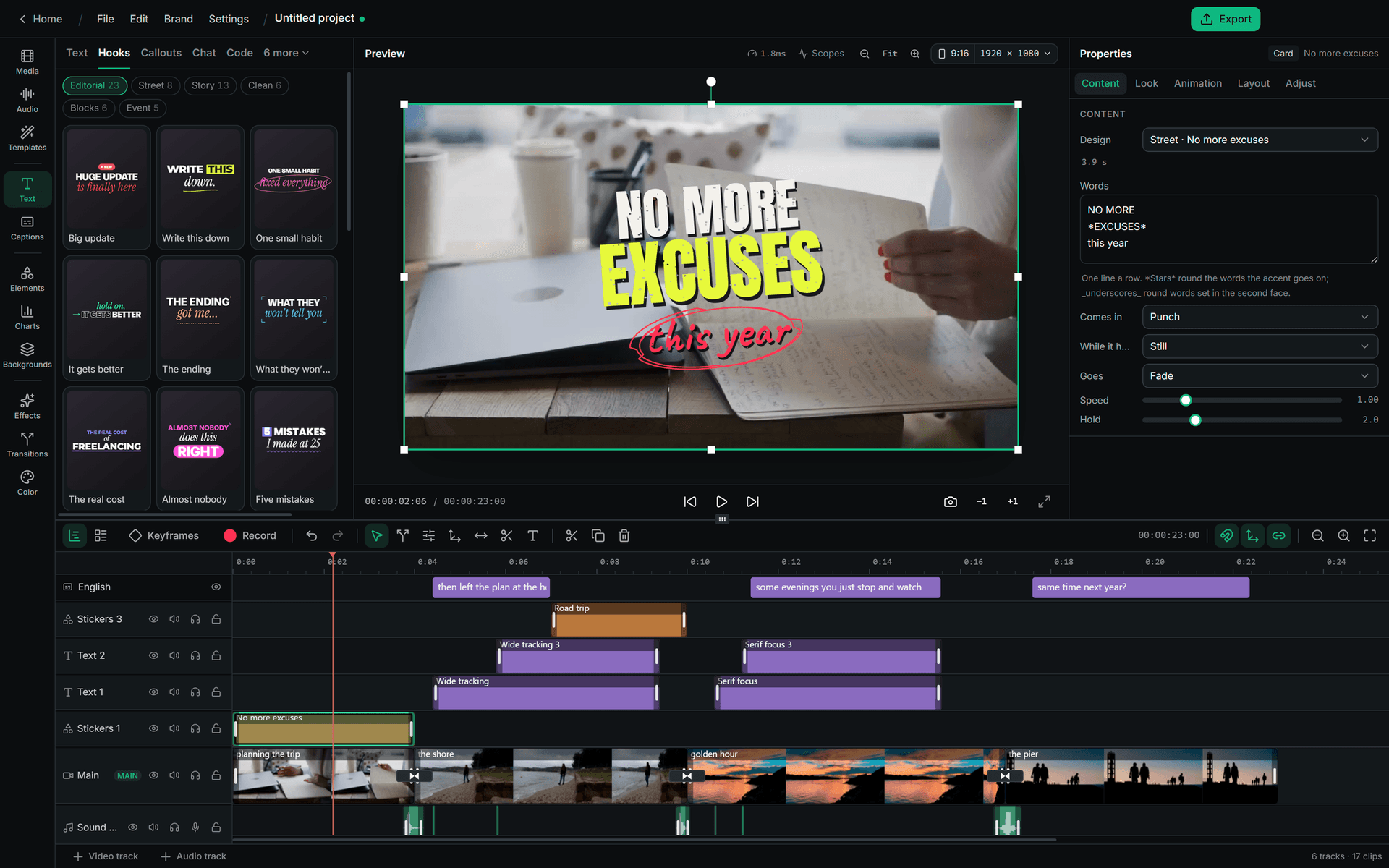
- 351transitions
- 108animated titles
- 524infographic designs
- 164chart presets
- 61hook designs
- 33effect layers
Motion
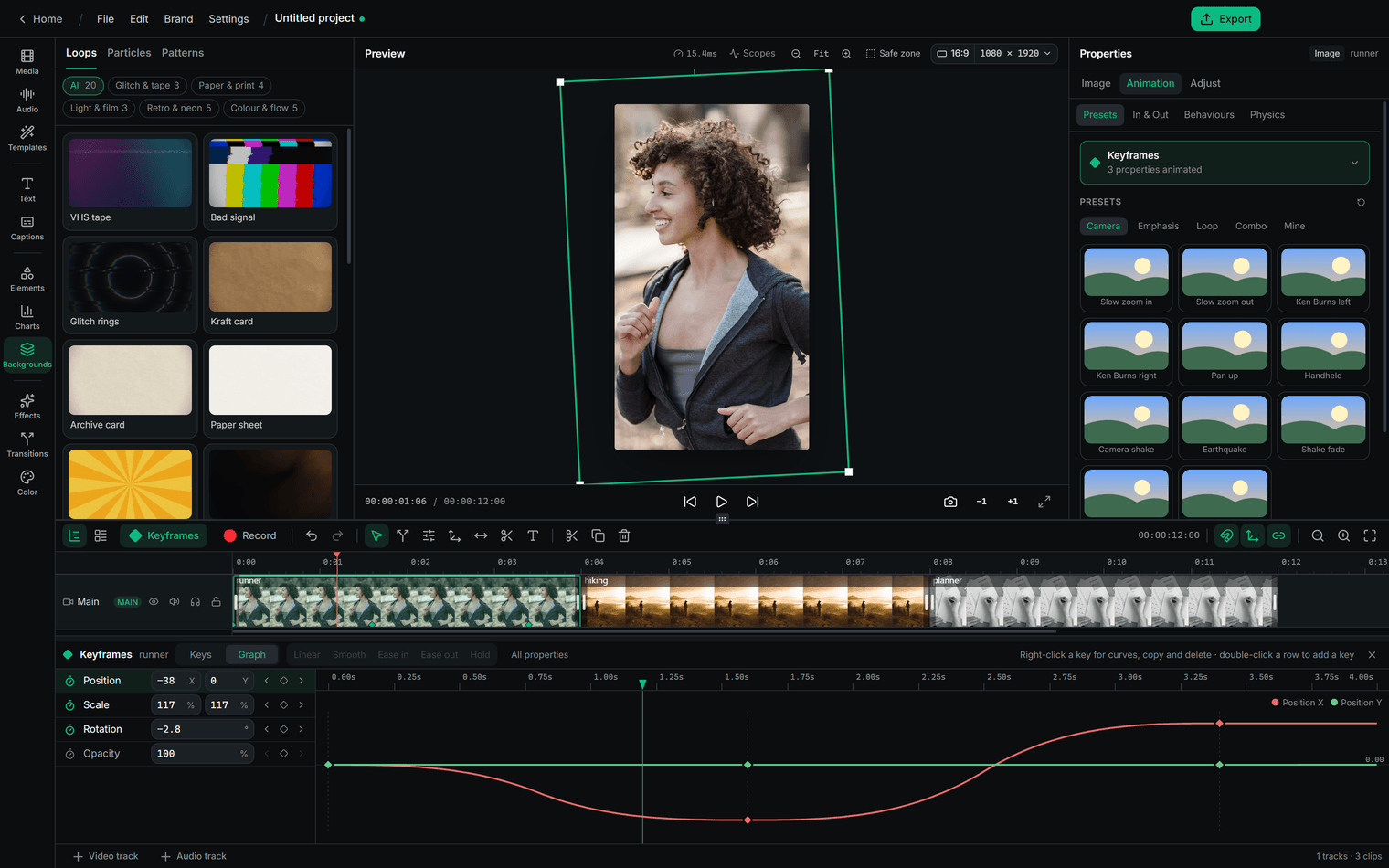
Animate anything, by hand or from a preset
Keyframe position, scale and rotation, each on its own curve, and shape the curves in the graph. Or start from a preset and stack behaviours on top.
- Presets for zooms, pans, shakes, pops and loops
- Behaviours that run by themselves: wiggle, shake, slow zoom, parallax, spin
- Stagger a group of layers into place, in the order you pick
- Motion tracking: pin a layer, a blur or a label to something that moves
- Speed ramps, freeze frames and reverse
Infographics and charts
Data that looks designed
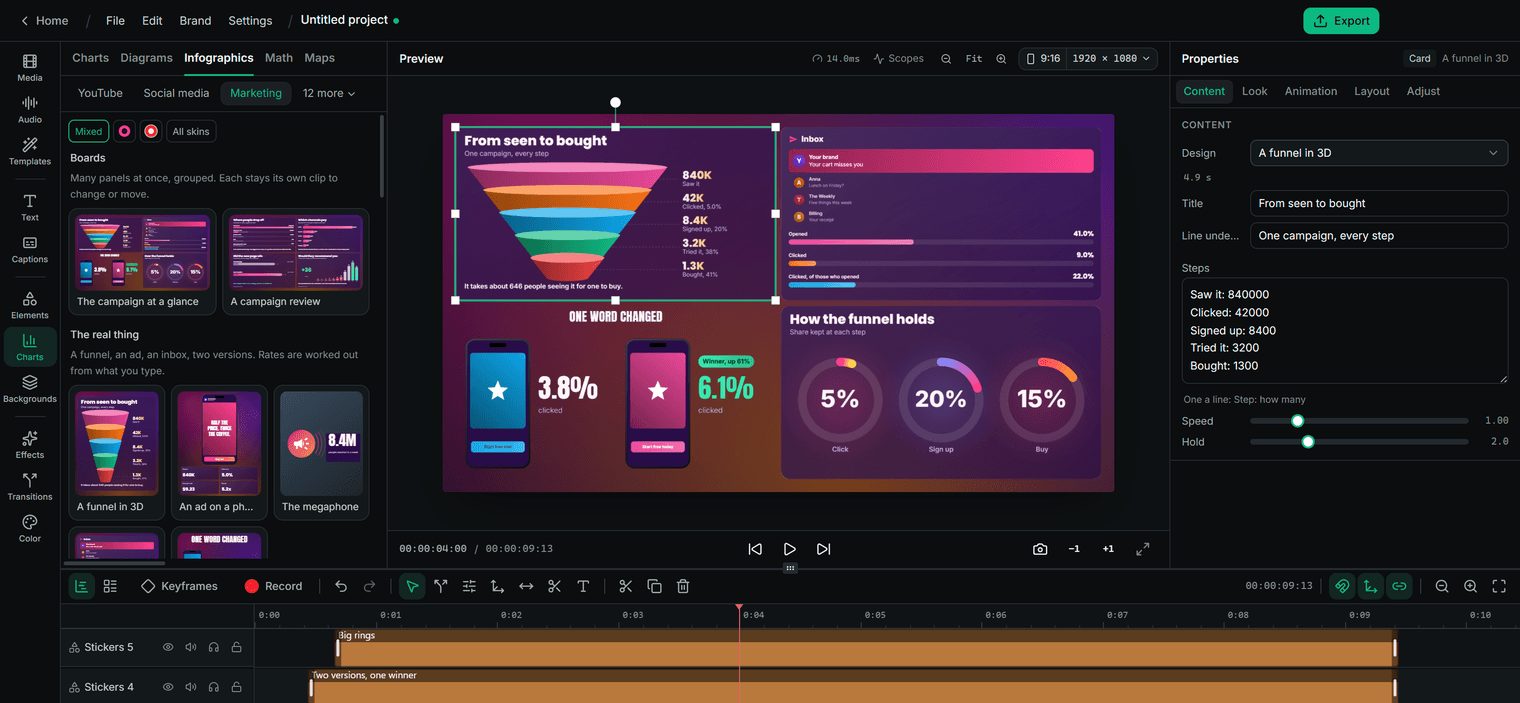
Fifteen kits, from marketing and money to science, sport and security, in 524 designs. Type your own numbers and labels; totals and shares are worked out from them.
- 49 boards: several widgets laid out together, each still its own clip
- 164 chart presets: bars, lines, rings, rankings, progress and flows
- Diagrams from a few lines of text, laid out and joined for you
- Callouts that point at something and follow it
- Every design restyled: skins, colours, spacing and corners
Screens and products
Your app, on a real device
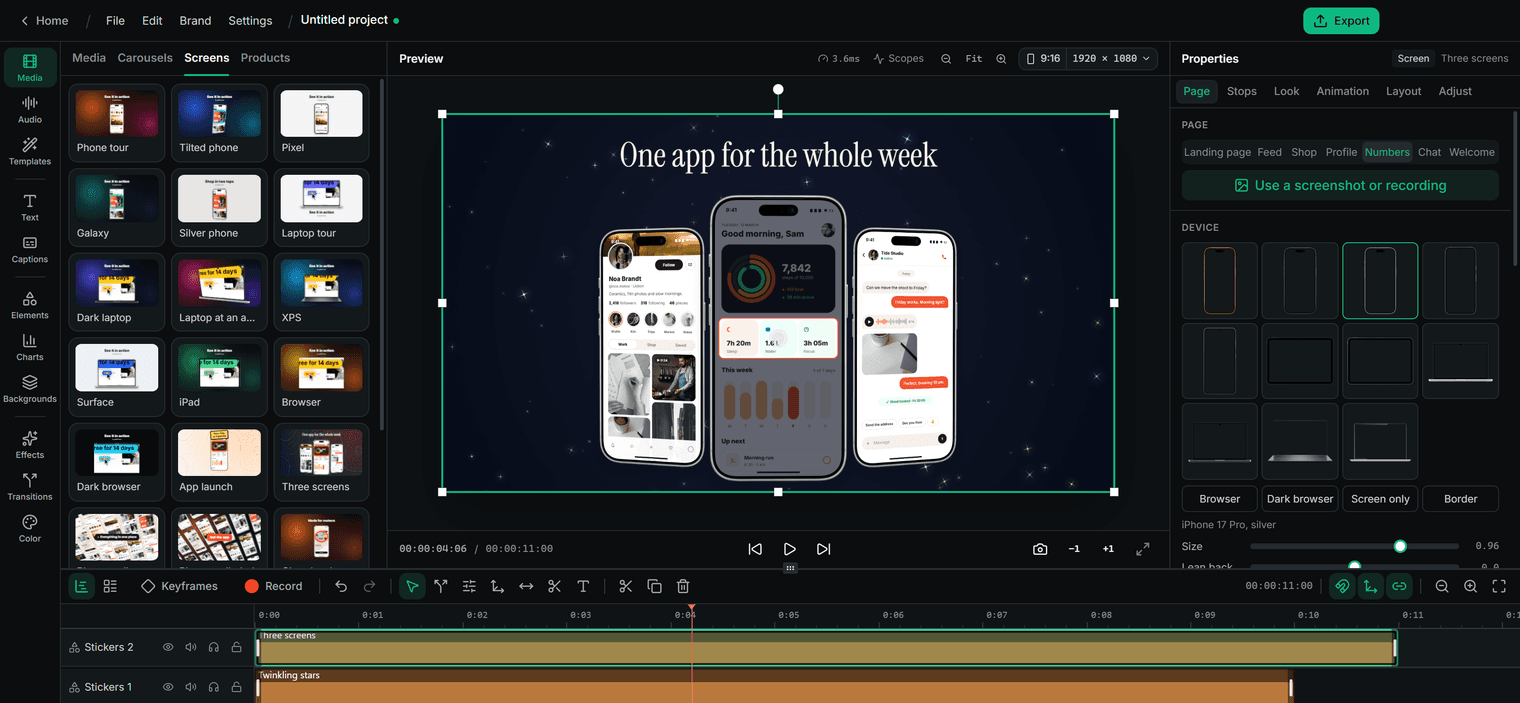
Add a screenshot or a screen recording and it scrolls on a photographed phone, tablet or laptop, or in a browser. Stops zoom in, mark a button and tap it.
- 19 screen presets, and 11 ways to animate them
- A wall of phones, three side by side, or a plain border
- Products on a podium, a turntable or a glossy floor, with names and prices
- Your logo arriving 12 ways, from particles to ink and neon
- Sale tags, countdowns, coupon codes, QR codes and phone notifications
Explainers
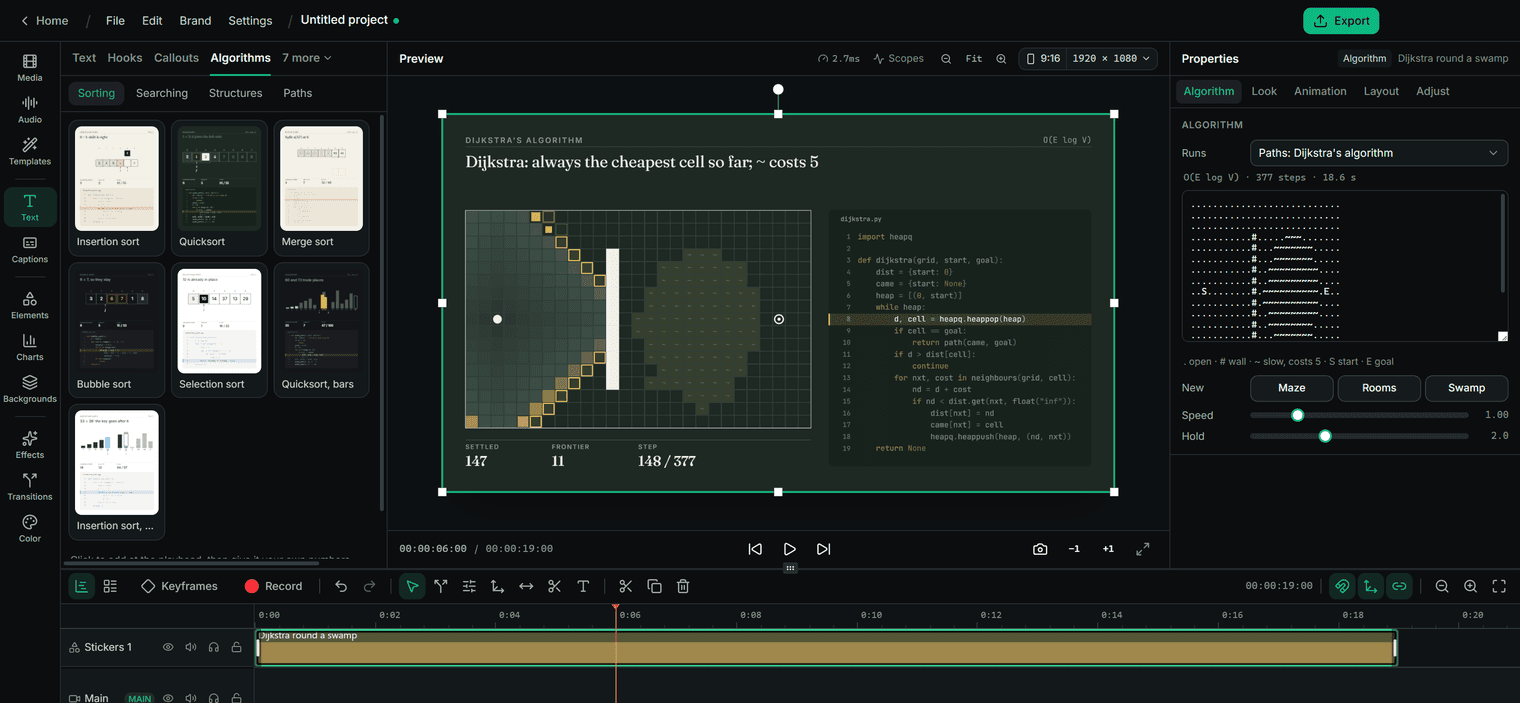
Code, algorithms and ideas, step by step
Paste code and it types itself, builds line by line or changes into its next version. Algorithms run from real Python, the running line lit and every step drawn.
- 22 algorithm presets: sorts, searches, stacks, trees, heaps, BFS, Dijkstra and A*
- 27 code presets, from a typewriter to a reviewed change
- Maths typeset properly, lit part by part and stepped through
- AI explained: a chat, tokens, attention and a network, in 17 scenes
- Terminal sessions, git graphs and requests for developer videos
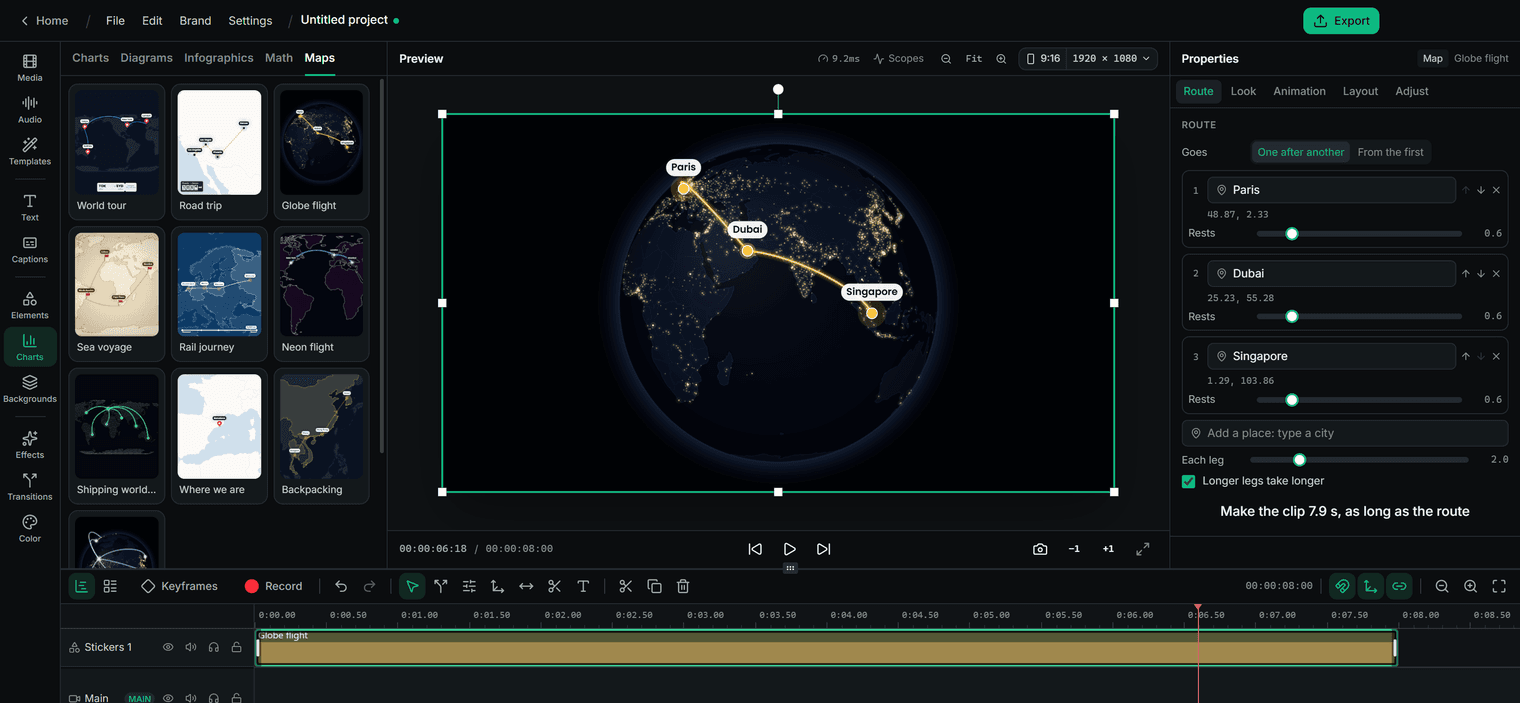
Maps
Routes that fly across the world
Type the places by name and the route draws itself, on a flat map or a globe, the camera following each leg.
- Ten map presets, from night-time globes to paper sea charts
- Flight arcs, great circles or straight lines
- Pins, place names and distances
- One stop after another, or a hub with routes going out
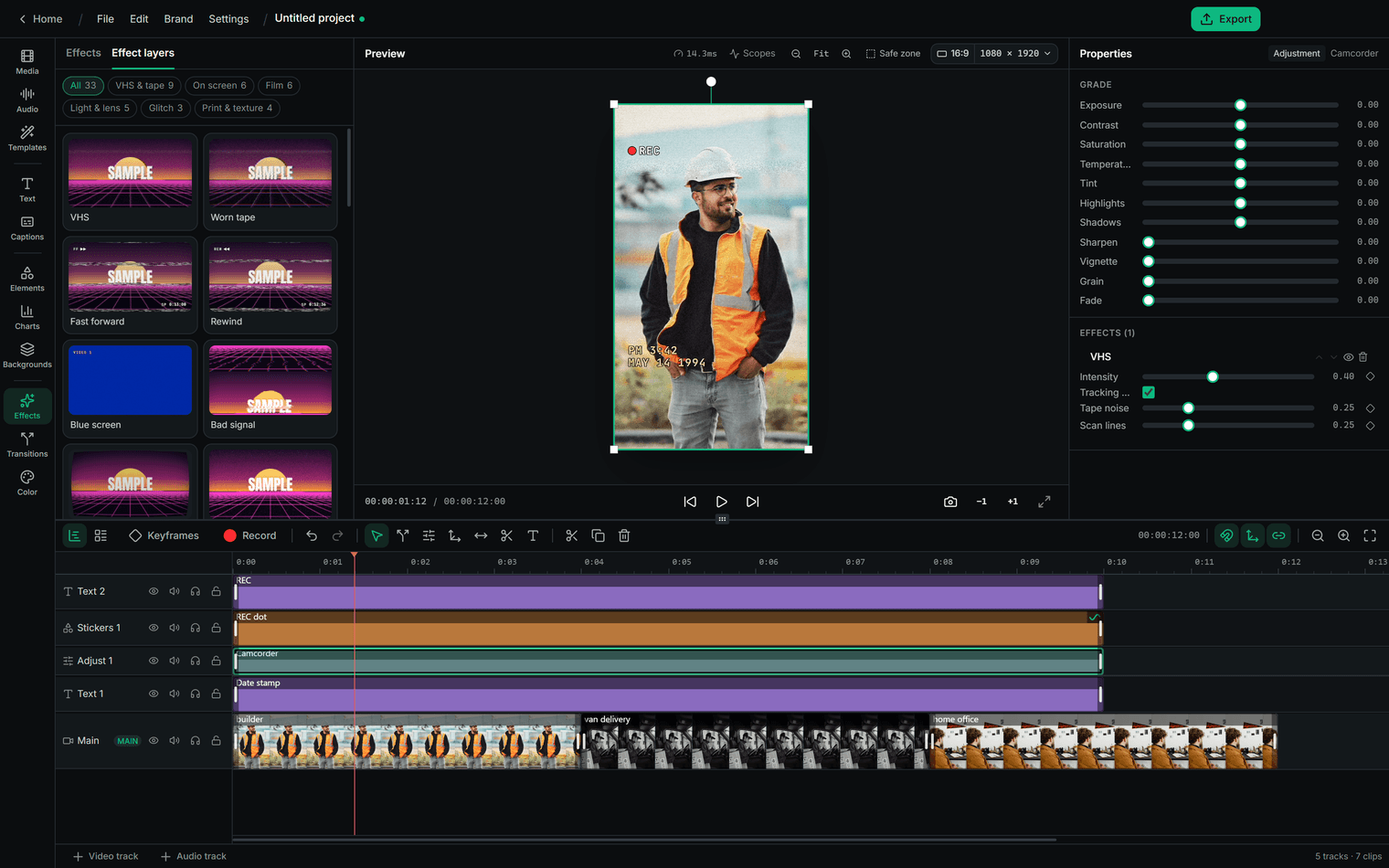
Effects and colour
Effects, colour and finishing
351 transitions, effect layers that change everything under them, and a full grade with LUTs, scopes and automatic colour matching.
- 33 effect layers: VHS, film, camcorder, glitch, print and paper
- Remove the background of a photo or a video, on your computer
- Stabilise shaky footage, and blur faces through the shot
- Make a still photograph move in depth
- Masks, track mattes, blend modes, and 3D layers with a camera
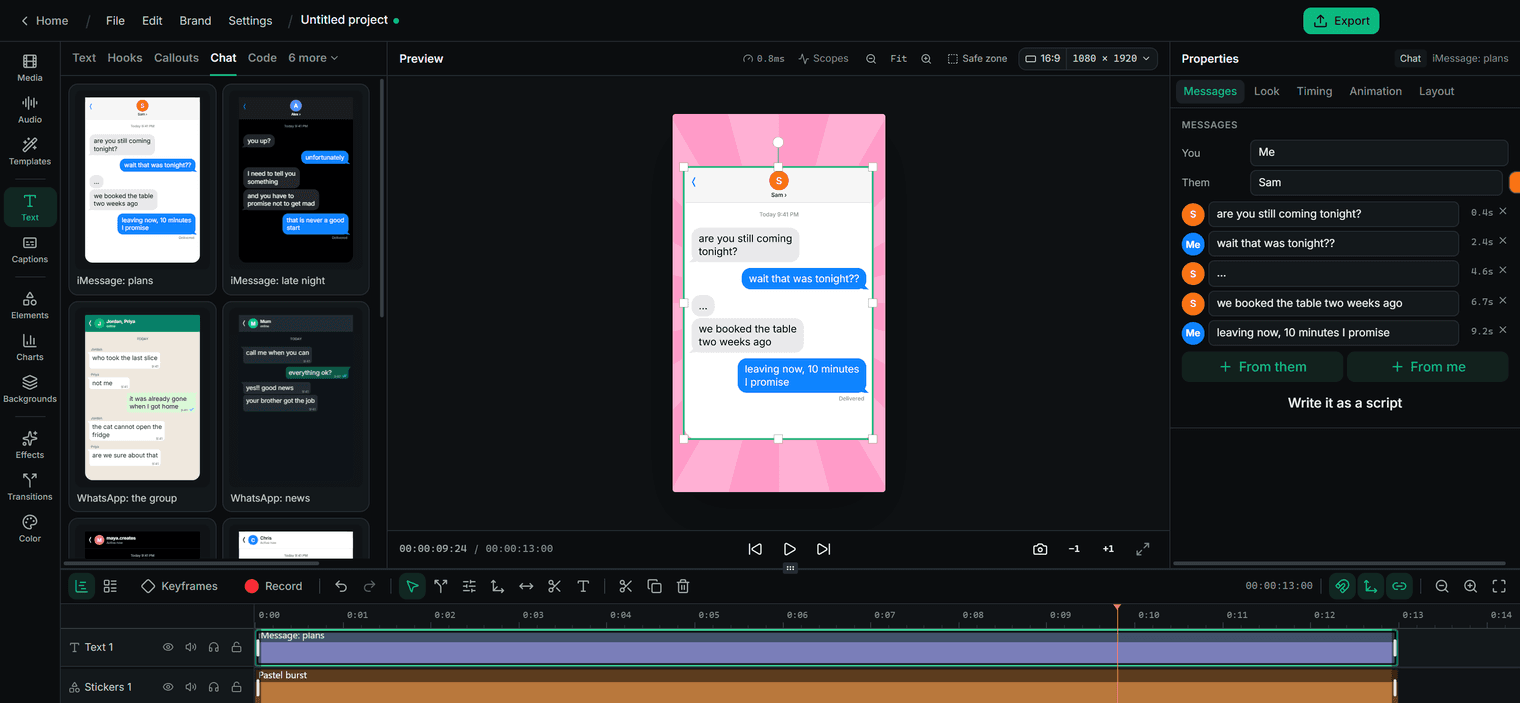
Text and stories
Titles, hooks and text stories
Open on one of 61 hook designs, title a section with one of 108 titles, or tell a story in messages that pop in one by one.
- Titles on 15 shelves: lower thirds, kinetic type, neon, comic, news and more
- Text on a path, letters turning in 3D, words that type or scramble
- Message threads and group chats from a pasted script
- Captions set word by word, transcribed on your computer
- A voiceover made on your computer, in English
Also in the box
And the rest of what an edit needs.
No plug-ins and nothing extra to buy: it is all in the app.
Editing
- A multi-track timeline with linked video and audio
- Nested sequences
- Multicam, the angles lined up by their sound
- Scene cuts found for you
- Hour-long timelines
Done for you
- A montage cut to the beat
- Fit to 15, 30, 45 or 60 seconds
- Pauses and repeated takes removed
- Sound effects laid on the edit
- Ask: type a change and it’s made
Sound
- A mixer with buses and track effects
- Record a voiceover on the timeline
- Ducking and loudness levelling
- Animation that follows the music
- Six audio visualisers
Elements
- Emoji, still and animated
- Icons that draw themselves on
- Hand-drawn arrows and marks
- Particles, confetti and fireworks
- Physics piles, shape and text morphs
Backgrounds
- 20 looping backgrounds
- Seamless patterns that move
- Particle skies, from stars to snow
Export
- Made on your computer, and free
- SRT and VTT caption files
- YouTube chapters from your titles
Questions
About RapidCreate Video Editor
What is RapidCreate Video Editor?
The timeline video editor in RapidCreate, the desktop app for Windows and Mac. It edits any video, one you shot or one RapidCreate made, with titles, infographics, charts, maps, effects, transitions, keyframes and sound built in.
Do edits and exports use credits?
No. Editing, re-rendering and exporting happen on your computer and never use a credit. Credits are spent only on new videos and posts that RapidCreate writes for you.
Can it edit vertical and widescreen video?
Yes. Pick vertical 9:16 for TikTok, Reels and Shorts, widescreen 16:9 for YouTube, square, 4:5, 2:3 or 21:9, or type your own size, and change it at any time.
What does it export?
MP4 (H.264 or HEVC) or WebM video, caption files in SRT and VTT, YouTube chapters from your titles, and any frame as a still.
Does it work on a Mac?
Yes. RapidCreate runs on Windows 10 and 11, and on Macs with macOS 12 or later, Apple silicon or Intel.
Can it edit long videos?
Yes. A timeline can run to an hour and more: long files are read a piece at a time, so a long edit stays quick to scrub and export.